Accounts, Roles and Sessions
Device settings apply to the whole IRIV, not one system. Open Settings from the main sidebar. Only the master account can change most of them.
Accounts
Go to Settings > Accounts to manage who can sign in and what they can open.
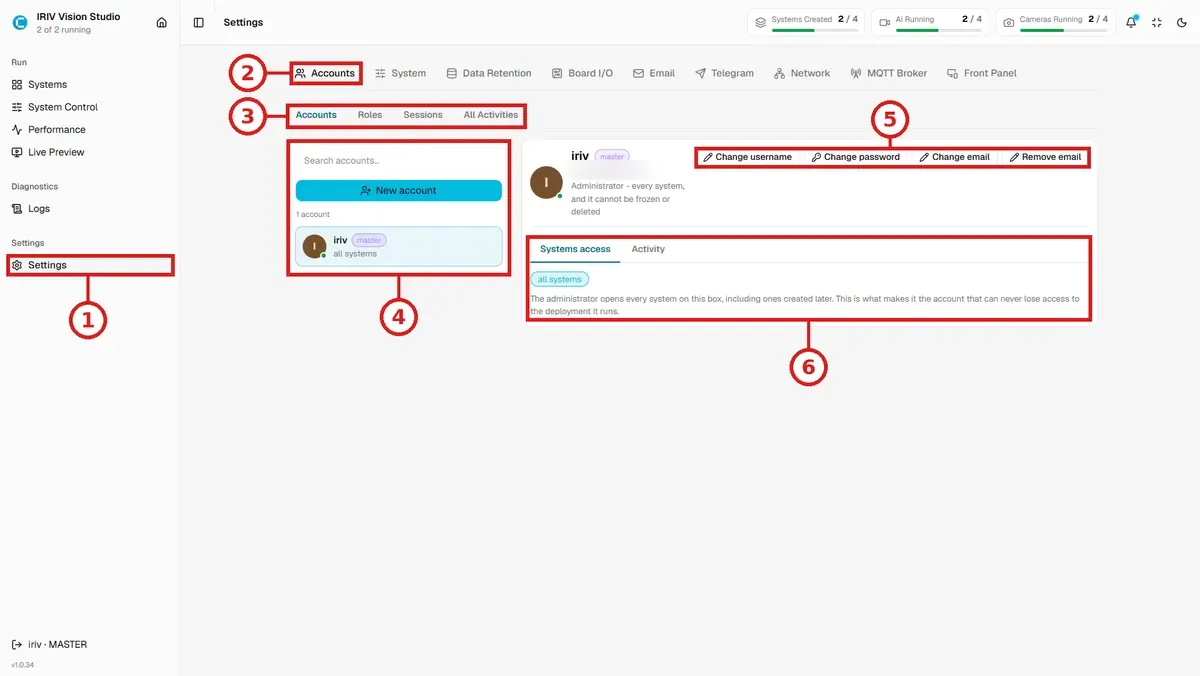
The Accounts page consists of several sections that you should be familiar with.
-
Settings Menu - Open the device settings from the main sidebar.
-
Accounts Tab - The first of the Settings tabs.
-
Sub-tabs - Accounts, Roles, Sessions and All Activities.
-
Account List
-
Search accounts - find an account by name.
-
+ New account - click to add a user.
-
master - the administrator; it opens every system and cannot be frozen or deleted.
-
-
Account Buttons
- Change username - rename the account.
- Change password - the master can change any account's password.
- Change email - set a new email address.
- Remove email - remove the email (Set email if it has none).

-
Systems Access and Activity
-
Systems access - only the master ticks which systems each account can view or edit.
-
Activity - a record of what the selected account has done.
-
Roles
-
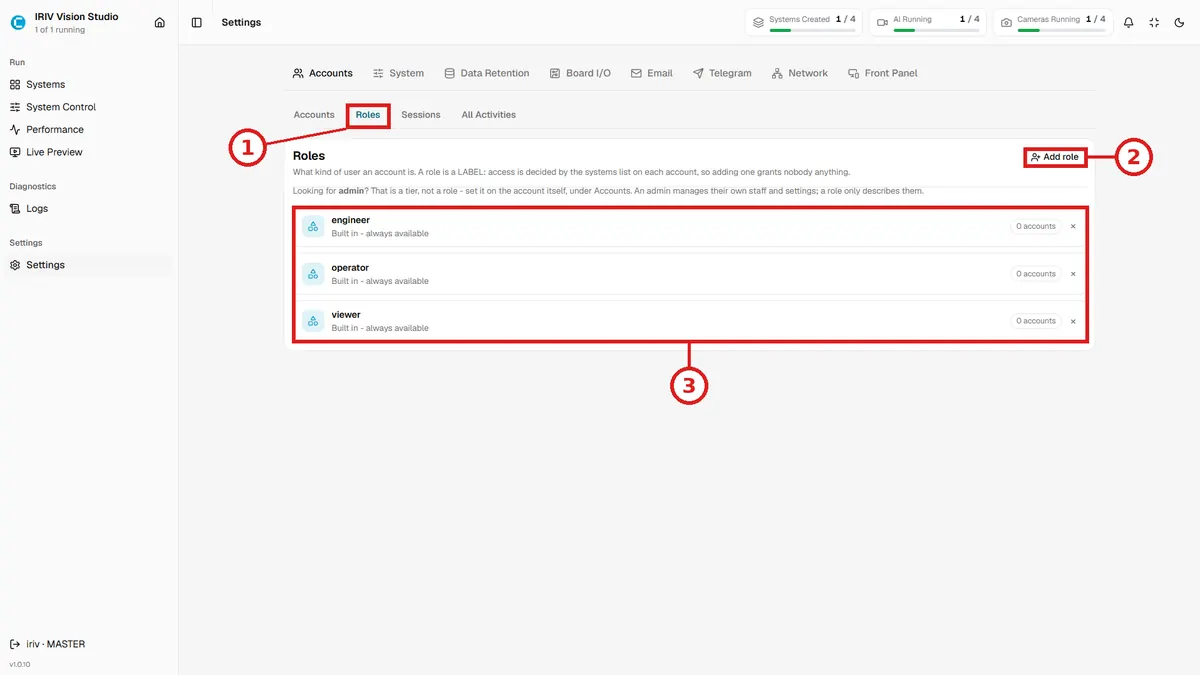
Roles Sub-tab - Assign a role to describe each account.
-
Add role - Create your own role.
-
Built-in Roles - engineer, operator and viewer are always available; each shows how many accounts use it.
A role is only a label. Which accounts can open is determined by their Systems access list. Admin is a tier, set on the account itself.
Sessions
-
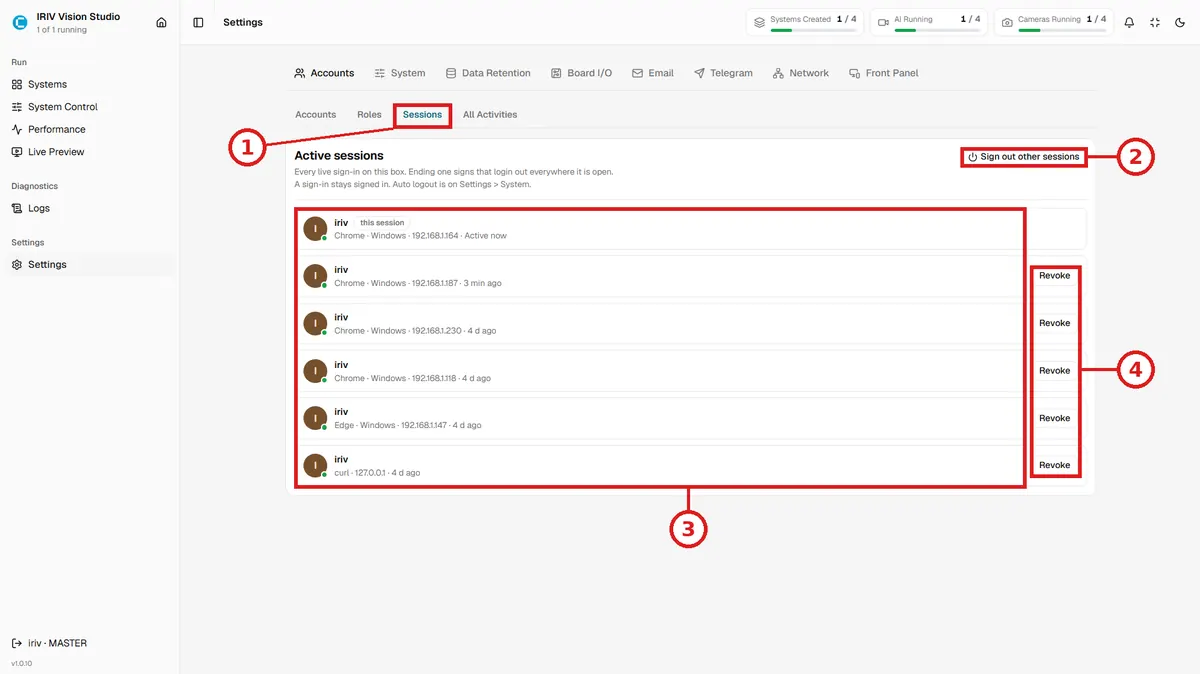
Sessions Sub-tab - Lists every live sign-in on the device.
-
Sign out other sessions - Ends all sessions except your own.
-
Session List - Account, browser, operating system, IP address and when it was last active.
-
Revoke - Click to sign out that session everywhere it is open.
A sign-in stays signed in until it is revoked, unless auto logout is turned on under Settings > System.
Source: IRIV EdgeAI Studio User Manual, Rev 1.0 (Draft), Cytron.